Creating roles
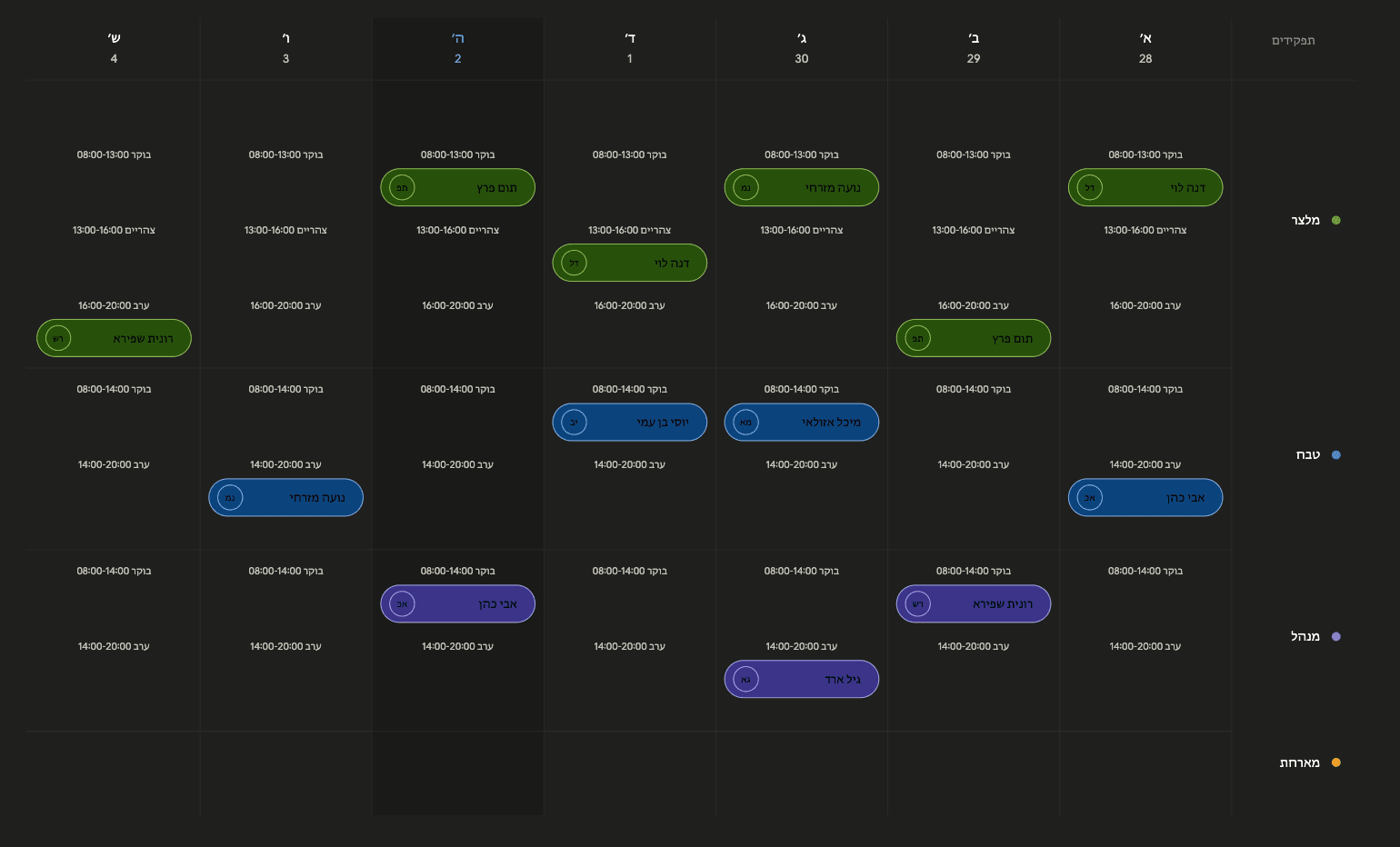
Video length: 1:14Setup starts with your team roles: add waiter, cook, bartender and shift manager, then give each employee their role. Templates and scheduling build on that. On-screen captions are in Hebrew.
Restaurants, cafés, shops and clinics waste hours every week arranging shifts in Excel and WhatsApp. ShiftHQ builds a smart schedule in seconds — automatically, in one click.
14-day free trial, no credit card · then from ₪49/month
Works fully in the browser + iOS app · Android on the way
One shift manager is on a pilot. No fake reviews — a real product and a direct conversation. Question? WhatsApp.
Talk to us on WhatsAppAbout
Business owners waste hours every week on spreadsheets and Excel sheets. ShiftHQ generates a full shift schedule in seconds — so you can focus on running your business.
A dedicated AI engine builds a complete shift schedule in seconds, while respecting every rule and constraint you set.
Every employee submits availability through the app. Managers see who is free and who is on leave — in one click.
Set hour limits, rest time between shifts, maximum consecutive days — the system enforces it all automatically.
Less time arranging shifts, more time running your business.
A mobile-friendly app. Employees and managers get real-time updates, even on the go.
Time & attendance
Employees clock in and out from the app, and you see who came in and how actual hours compare with the schedule. No time-clock device, no spreadsheets.
Clocking in from the app is free during the trial: turn it on in your business settings
One tap in the app to clock in or out, with an option to allow it only near the business.
On a paid plan we set up and send an NFC sticker for your entrance, and employees clock in by tapping their phone.
A report that compares hours worked with the schedule and flags exceptions to review.
Managers approve shifts, and an employee who forgot to clock in can ask for a correction in the app.
A monthly export of working hours, ready to send to bookkeeping.
Explainer videos
Short walkthroughs explaining every feature simply — so you start saving time from day one.
Setup starts with your team roles: add waiter, cook, bartender and shift manager, then give each employee their role. Templates and scheduling build on that. On-screen captions are in Hebrew.
Define regular shifts for each role and day, or availability windows — then copy them across the week. On-screen captions are in Hebrew.
Availability submitted from the phone, auto-assign, manual assignment, copying last week and checking staffing counts. On-screen captions are in Hebrew.
Publish the schedule to the team, lock availability submission, and approve swap requests by picking a replacement. On-screen captions are in Hebrew.
Set simple rules such as rest between shifts, Shabbat and a weekly shift limit.
Pricing
14-day free trial, no credit card required. A paid subscription is required after the trial.
Clock in/out from the app, exceptions, actual-vs-scheduled reports and a monthly export for your accountant. Optional — the regular plans do not change.
The business owner is not counted in the employee limit. There is no ongoing free plan — a paid subscription is required after the 14-day trial. Cancel anytime.
Prices exclude VAT. VAT is not currently charged (VAT-exempt dealer); VAT will be added as required by law upon registration as a VAT-licensed dealer.
FAQ
We've gathered the most common questions. Didn't find your answer? Contact us
Signing up and setting up your business takes about 10 minutes. You can create your first shift schedule in under half an hour — no special training required.
Yes — ShiftHQ works for cafes, restaurants, retail stores, clinics, gyms, and any business with a team of employees. You can configure roles, departments, and custom constraints for any business.
No app download required. Works fully in the browser + iOS app · Android on the way.
The engine assigns shifts based on the availability employees submitted, the rules you've set, and employee scores — and creates a schedule in seconds. Any assignment can be edited manually afterward.
The employee sends a swap request through the app, and the managers get a notification. The manager approves the request (and picks a replacement if the employee didn't suggest one), and the schedule updates automatically. The employee who asked and the employee taking the shift are both notified of the approval.
Yes — a 14-day free trial, no credit card required. After the trial a paid subscription is required: ₪49/month for up to 15 employees, or ₪99/month for 16–40 employees. Above 40 employees, contact us for a custom price. The business owner is not counted in the employee limit. Clocking in from the app is free during the trial; turn it on in your business settings.
₪49/month for up to 15 employees, and ₪99/month for 16–40 employees. Above 40 employees the price is custom — contact us. The business owner is not counted in the employee limit. There is no ongoing free plan: a paid subscription is required after the 14-day trial.
No. Employees clock in and out from the app on their phone. On a plan that includes attendance we also set up and send an NFC sticker for your entrance, so they can clock in with a tap.
Yes, clocking in from the app. During the trial you turn the time clock on for free in your business settings, and until you do, employees do not see it. The NFC sticker is not part of the trial: we set it up and send it once you choose a paid plan that includes attendance.
The hours already recorded are kept and stay available to view and export, but new shifts cannot be clocked until attendance is added to the plan.
Contact
Leave your details — or talk to us on WhatsApp.